 Printables
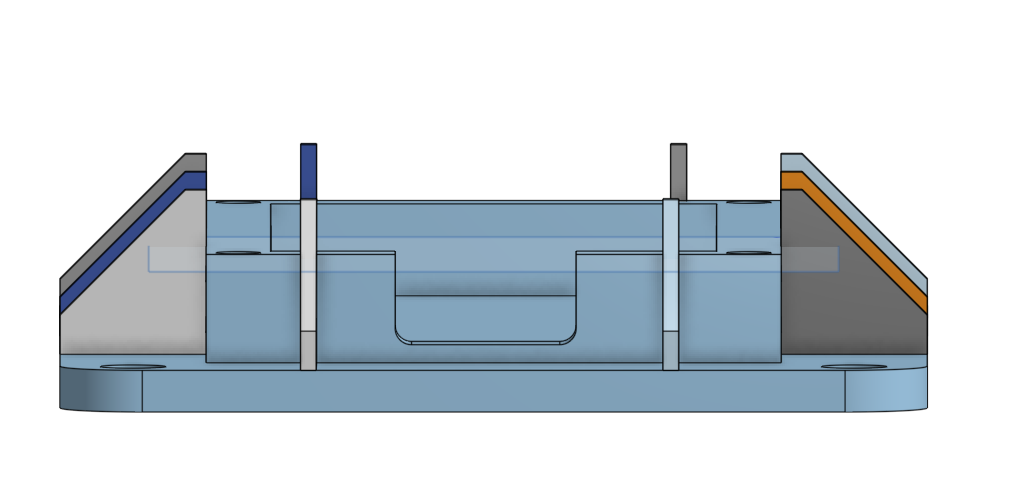
 Raspberry PICO case with wire outholes
di Patrick Matthew Mendoza
- 1 Mi piace
- 2 Download
- 11 Visualizzazioni
I file si scaricano dalla piattaforma originale. makeIt. non ospita né ricarica modelli di terzi.
Dove trovarlo
- Printables Vedi prezzo ApriPrintables
Informazioni su questo modello
This Raspberry Pi Pico case protects the board while keeping the GPIO pins and wiring easily accessible. The built-in wire openings allow cables to pass through without needing to leave the case open. The case is designed to be simple to assemble, compact, and useful for electronics projects, prototypes, and permanent installations. Motivation I wanted to make a case for my Raspberry Pi Pico that would keep the board protected while still being practical to use. I also wanted to use an LED with the Pico for my electronics projects, so I designed the case with openings that make it easier to connect the LED and other wires. My goal was to create something simple, useful, and easy to work with while keeping the Pico and its wiring neat and protected. Build & Assembly 1.Print the parts 3D print both parts of the Raspberry Pi Pico case. The design includes a main case and a lid with openings for wires and LED connections. 2.Mount the Raspberry Pi Pico Place the Raspberry Pi Pico inside the case and line up the mounting holes. The Pico mounting holes are 2.200 mm in diameter. 3.Install the Case Mounting Screws The main case mounting holes are 3.970 mm in diameter, including the design tolerances. Use screws that fit securely without putting excessive pressure on the plastic. 4.Secure the Lid The lid mounting holes are 2.700 mm in diameter. These can be used with suitable screws to secure the lid to the case. 5.Use the Bottom Mounting Holes The holes on the bottom of the case can be used for zip ties to hold the lid down or to mount the entire case to another surface. This gives you multiple ways to secure the case depending on how you are using the Pico. 6.Connect the LED and Wires Route the LED wires and other connections through the provided wire openings. Make sure the wires are not pinched when the lid is secured. 7.Final Check Make sure the Raspberry Pi Pico is firmly mounted, the lid is secure, and the wires and LED connections have enough room to avoid being damaged.
Tag
Dettagli
- Licenza
- Creative Commons — Attribution
- Pubblicato
- Oct 4, 2026
- Fonte
- Printables
- Ultima sincronizzazione
- 14d ago
Rispetta il designer. La ridistribuzione non autorizzata dei file è vietata. Hai trovato una copia pirata? Leggi l'avviso